1. Why automation now matters to used-equipment buyers
Epiroc published autonomous SmartROC D65 field-test results in 2023, while Epiroc and Sandvik offer scalable systems ranging from onboard assistance to remote and autonomous operation. This makes digital capability commercially relevant in the secondary market, but it also creates a new risk: a familiar model name, screen or joystick does not establish which options were installed on one individual machine.
- Operator assistance and automatic drilling
- Remote operation outside a hazardous area
- Autonomous positioning and drill-pattern execution
2. Separate assistance, remote control and autonomy
Automatic levelling, rod handling, target-depth drilling, anti-jamming, hole navigation and reporting are different capabilities. Remote control adds communication and safety-zone equipment; autonomous work adds further control, positioning and access-management requirements. A rig may have a compatible control platform without the hardware or active licence for the highest level.
Turn each sales description into an acceptance statement. For example, specify whether automatic drilling controls only one hole after manual positioning, whether remote control includes tramming, and whether a drill plan can be uploaded and executed. This prevents a basic operator-assistance function from being priced as fleet autonomy.
- Ask what the rig performs, not whether it is simply automated
- Record standard versus optional functions
- Confirm production-year and market variations
3. Request a serial-number-specific configuration
Obtain a written manifest showing the control-system generation, display and controller numbers, software version, active options, GNSS equipment, depth and angle sensors, rod-handling functions, cameras and remote receiver. It should also list every remote station, server, access-control component and network device included in the sale. A generic model brochure cannot replace this record.
Use an evidence hierarchy: an OEM build record or authorised-service report is stronger than a menu screenshot, and a successful unit-specific test is stronger than a seller's verbal statement. Where sources conflict, record the conflict and obtain a written resolution instead of choosing the more favourable version.
- Photograph option and diagnostic screens beside the serial plate
- Confirm licence ownership and expiry
- List excluded hardware as clearly as included hardware
4. Run a controlled functional test
Where site rules allow, begin with a cold start and stored-fault review. Test feed alignment, depth measurement, automatic rod handling and drilling to a defined target. Compare displayed depth with a physical check, then export an as-drilled record. If remote operation is included, test it only inside an approved exclusion zone with competent personnel, functioning emergency stops and the required access-control system.
Agree the pass criteria before the test: target-depth tolerance, sensor agreement, completed rod sequence, report generation and response to a simulated safe interruption. Record who operated the rig, the ground and hole conditions, and any manual intervention. Without that context, a short demonstration may be impossible to reproduce at the buyer's site.
- Keep an unedited video and screenshots
- Mark every untested function as not tested
- Do not demonstrate autonomous tramming without an approved safety plan
5. Confirm what can transfer to a new owner
The machine is only one part of an automated system. Verify whether licences, portal rights, drill-plan software, calibration files, manuals and configuration backups can legally and technically transfer. Do not accept a previous owner's shared password. Ask the OEM or authorised service provider to explain account reassignment, software support, updates and commissioning at the destination.
- Account and subscription transfer
- Training and local technical support
- Backup, calibration and cybersecurity procedure
6. Test the business case at the destination
Automation creates value only when it solves a defined site problem, such as reducing exposure near a high wall, improving hole accuracy or maintaining production across shift changes. Include GNSS correction, wireless coverage, survey data, training, sensors, software and specialist support in the cost model. A simpler rig with dependable local parts may be the better purchase when advanced systems cannot be maintained.
Set a baseline before claiming a benefit. Useful measures include accepted holes per shift, positioning time, re-drilled metres, idle time, operator exposure hours and automation-related downtime. Compare those values after commissioning over enough shifts to account for geology, operator learning and normal production variation.
- Connect each feature to a measurable operating result
- Budget infrastructure and lifecycle support
- Compare enabled cost with the cost of operating without the feature
7. Evidence limits and buyer responsibility
OEM references in this guide explain industry systems only. They do not prove that any unit advertised on this website has the described automation, condition or performance. Verify the exact machine, serial number, installed hardware, active licences and test results before relying on a feature in a purchase decision.
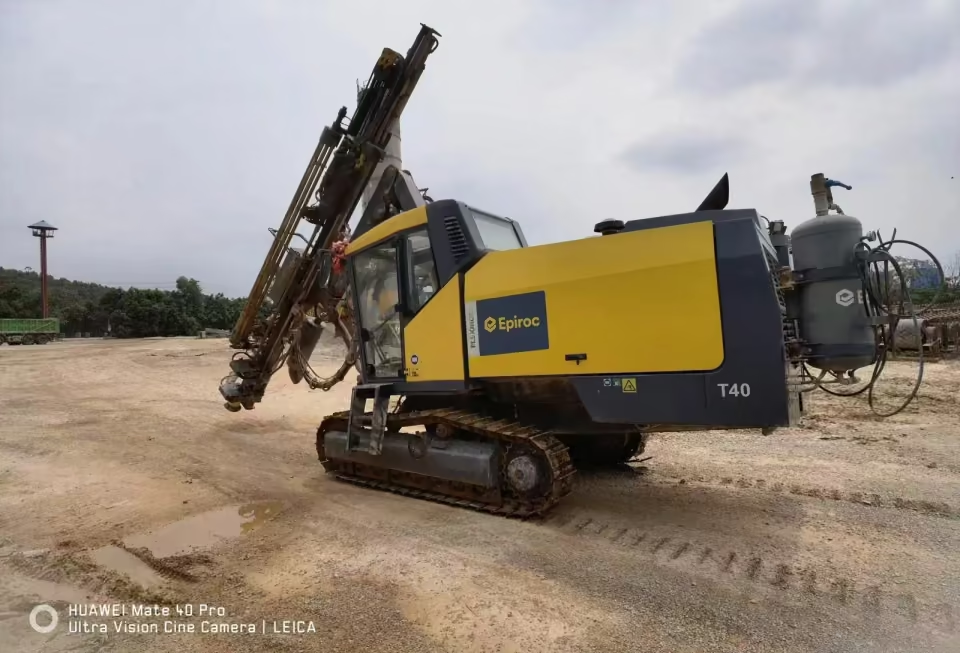
- No feature is confirmed by the cover image
- No OEM claim is a unit-specific warranty
- Use an independent specialist where the function affects safety or project economics
Topic decision table: Used Drill Rig Automation: What Buyers Must Verify Before Purchase
| Topic checkpoint | Buyer action | Evidence-based explanation |
|---|---|---|
| 1. Why automation now matters to used-equipment buyers | Operator assistance and automatic drilling | Epiroc published autonomous SmartROC D65 field-test results in 2023, while Epiroc and Sandvik offer scalable systems ranging from onboard assistance to remote and autonomous operation. This makes digital capability commercially relevant in the secondary market, but it also creates a new risk: a familiar model name, screen or joystick does not establish which options were installed on one individual machine. |
| 2. Separate assistance, remote control and autonomy | Ask what the rig performs, not whether it is simply automated | Automatic levelling, rod handling, target-depth drilling, anti-jamming, hole navigation and reporting are different capabilities. Remote control adds communication and safety-zone equipment; autonomous work adds further control, positioning and access-management requirements. A rig may have a compatible control platform without the hardware or active licence for the highest level. |
| 3. Request a serial-number-specific configuration | Photograph option and diagnostic screens beside the serial plate | Obtain a written manifest showing the control-system generation, display and controller numbers, software version, active options, GNSS equipment, depth and angle sensors, rod-handling functions, cameras and remote receiver. It should also list every remote station, server, access-control component and network device included in the sale. A generic model brochure cannot replace this record. |
| 4. Run a controlled functional test | Keep an unedited video and screenshots | Where site rules allow, begin with a cold start and stored-fault review. Test feed alignment, depth measurement, automatic rod handling and drilling to a defined target. Compare displayed depth with a physical check, then export an as-drilled record. If remote operation is included, test it only inside an approved exclusion zone with competent personnel, functioning emergency stops and the required access-control system. |
| 5. Confirm what can transfer to a new owner | Account and subscription transfer | The machine is only one part of an automated system. Verify whether licences, portal rights, drill-plan software, calibration files, manuals and configuration backups can legally and technically transfer. Do not accept a previous owner's shared password. Ask the OEM or authorised service provider to explain account reassignment, software support, updates and commissioning at the destination. |
Apply this guide to current inventory
- Used Inventory →
- Inspection →
- Export planning for Indonesia, the Middle East and Africa →
- Drilling Rigs →
- Air Compressors →
- Sandvik DX700 · used-rig records →
- Sandvik DX800 · used-rig records →
- Sandvik DP1100 — CR-005 · used-rig records →
- Atlas Copco D45 · used-rig records →
- Atlas Copco D50 · used-rig records →
- Atlas Copco D55 · used-rig records →
- Atlas Copco T35 · used-rig records →
- Atlas Copco T40 · used-rig records →
- Used Drilling Rig Inspection Checklist: 12 Evidence-Based Checks Before You Buy →
- How to Size a Portable Air Compressor for DTH Drilling: Pressure, Flow and Site Conditions →
- How to Calculate the Real Cost per Drilled Metre →
Editorial details and evidence notes
How should the evidence be interpreted?
| Evidence type | What it can support | What it cannot prove |
|---|---|---|
| Official or manufacturer source | The cited family, standard or regulatory statement | The configuration or condition of a listed used unit |
| Published inventory record | Stock ID, supplied fields and linked listing photos | Current availability, hidden condition or included scope |
| Unit inspection evidence | Serial-specific observations within the agreed test scope | Performance outside the tested conditions |
Questions about using this guide
Does this guide prove that a listed machine has the feature or compliance discussed?
No. The guide explains a verification method. Confirm the exact stock ID, serial identity, installed configuration and destination rules before relying on it.
What should a buyer do before requesting a final quote?
Send the stock ID, project requirement, destination and requested inspection scope, then ask for current machine-specific evidence.